HaFa Magazine · Issue 02 · October 2026
The complete HaFa,
one screen at a time.
Chat, call and pay the people you know. Keep talking when the network drops. Get things done nearby. On Android and iPhone.
In this issue
How far? It asks how you are, where you are, and whether things are moving. HaFa takes its name from the greeting and tries to answer all three.
Most people keep one app for chat, another for mobile money, a third for calls that don't drop, and wait for data they can't always afford. HaFa puts them in one place, built for shared phones, prepaid data and a signal that comes and goes.
This is the whole of HaFa as it stands in October 2026: the chat at its heart, calls, Bluetooth when there is no network, the wallet and the apps inside it, the new Services, and HaFa on the iPhone.
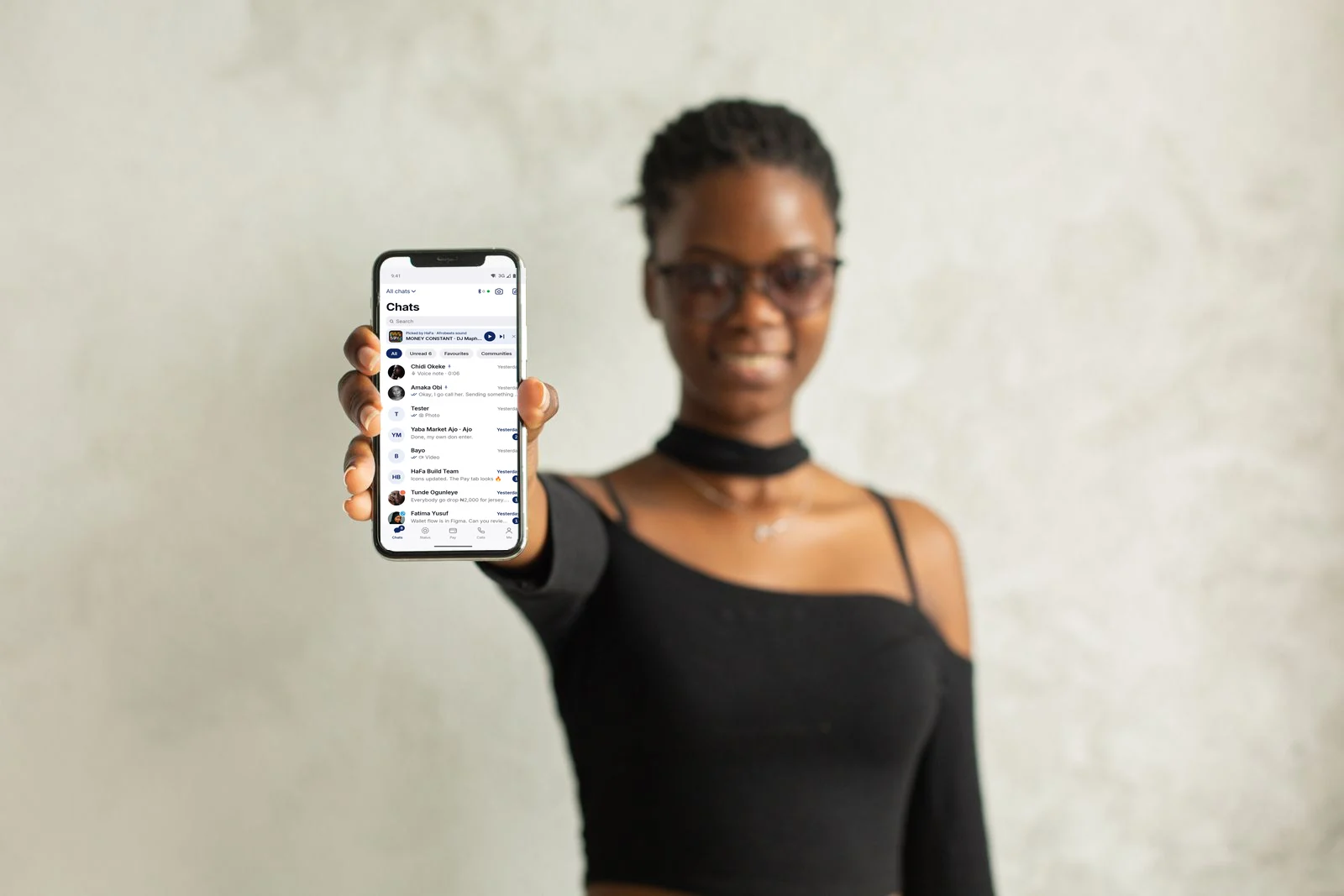
Screens from HaFa 1.54 on an Android phone and an iPhone, with demo people and demo money.
- 01ChatMessages, voice notes, groups, status and channels
- 02CallsEncrypted voice and video, and a Bluetooth walkie-talkie
- 03OfflineHow a message travels when there is no network
- 04MoneyOne wallet, paid from a chat, limits you can see
- 05AppsBills, Ajo circles, agents, shops and gifts
- 06ServicesA plumber or a mechanic, seen coming to your door
- 07YouYour account, your limits, your keys
- 08Now on iPhoneOne app, two phones, every screen in this issue
Chapter 01 · Chat
Everything happens
in the chat.
Talk, send voice notes, share your location and pay, without leaving the conversation. Every conversation is end-to-end encrypted with the Signal protocol, with a post-quantum key exchange (X25519 plus Kyber-1024) on top. The key is made on your phone and never leaves it.
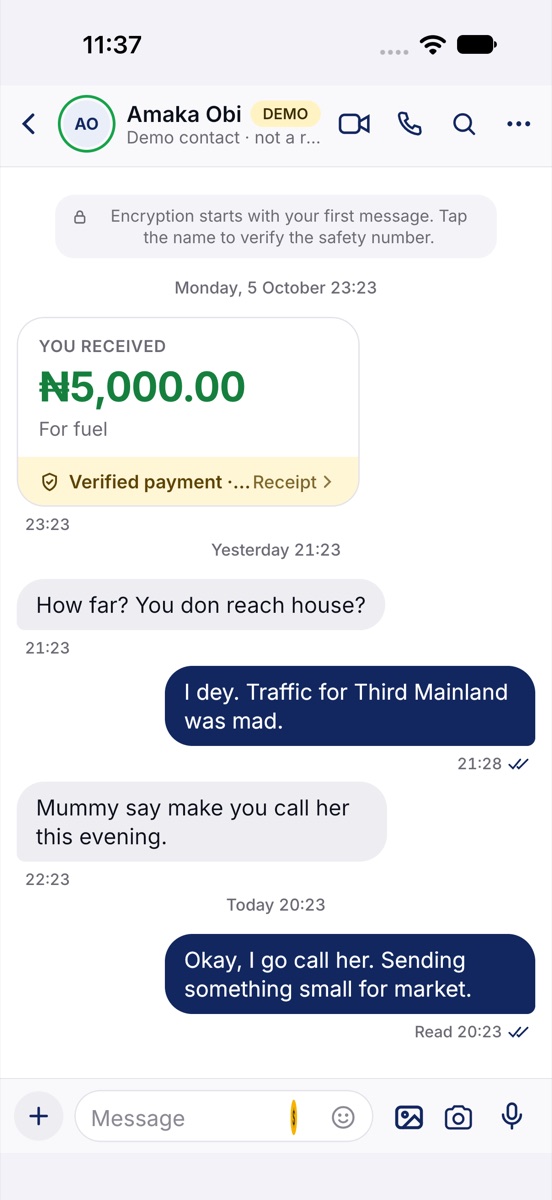
When someone pays you, the payment sits in the chat as a card. "Verified payment" means HaFa found its receipt before calling it received.

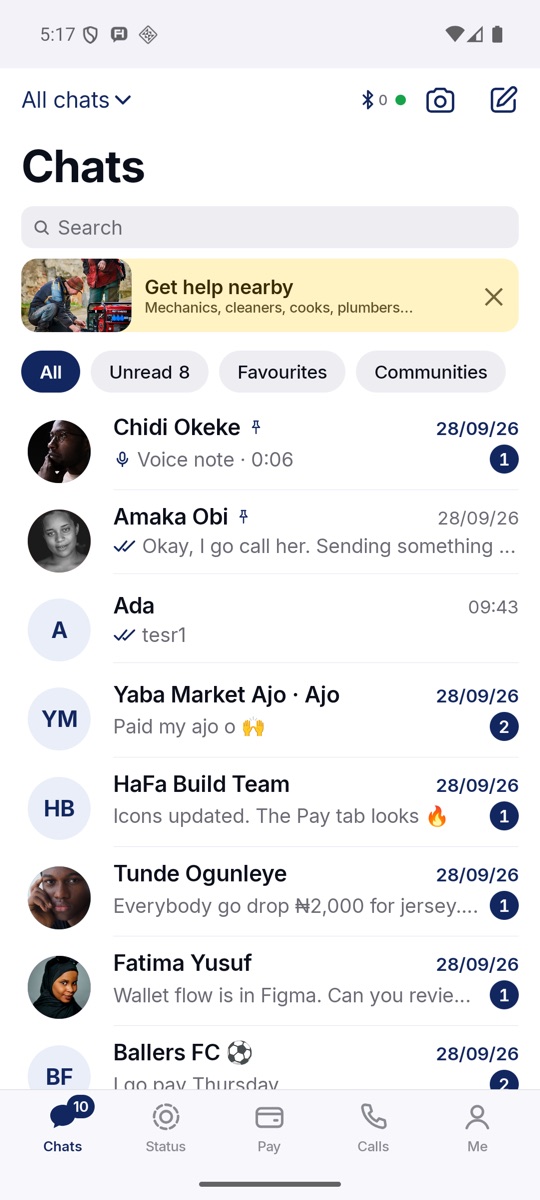
Chats
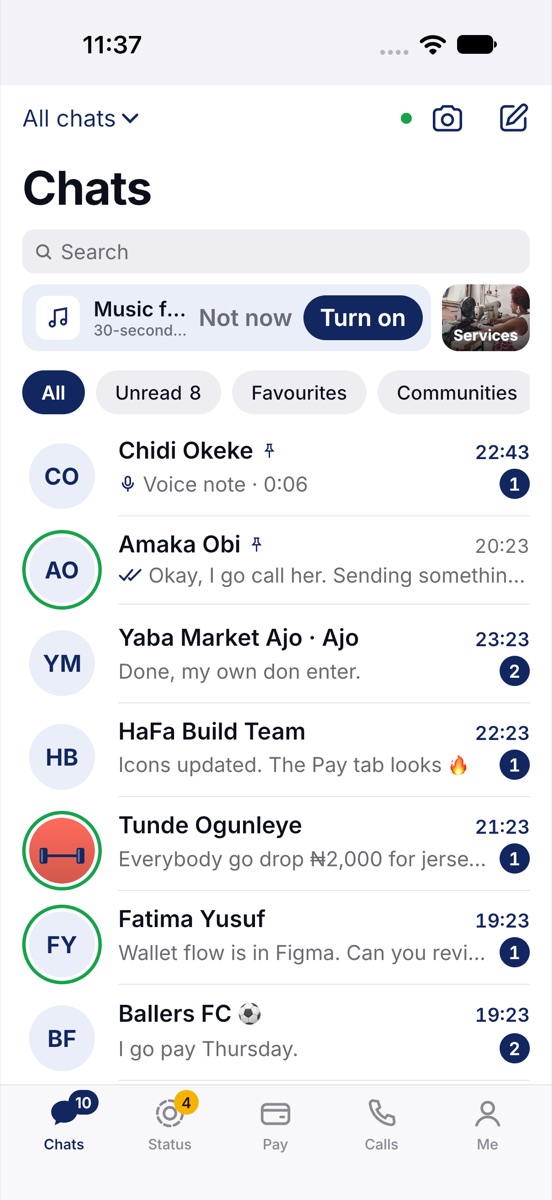
Pinned people first, then everyone, with Unread, Favourites and Communities filters. The Bluetooth mark at the top counts HaFa phones near you.
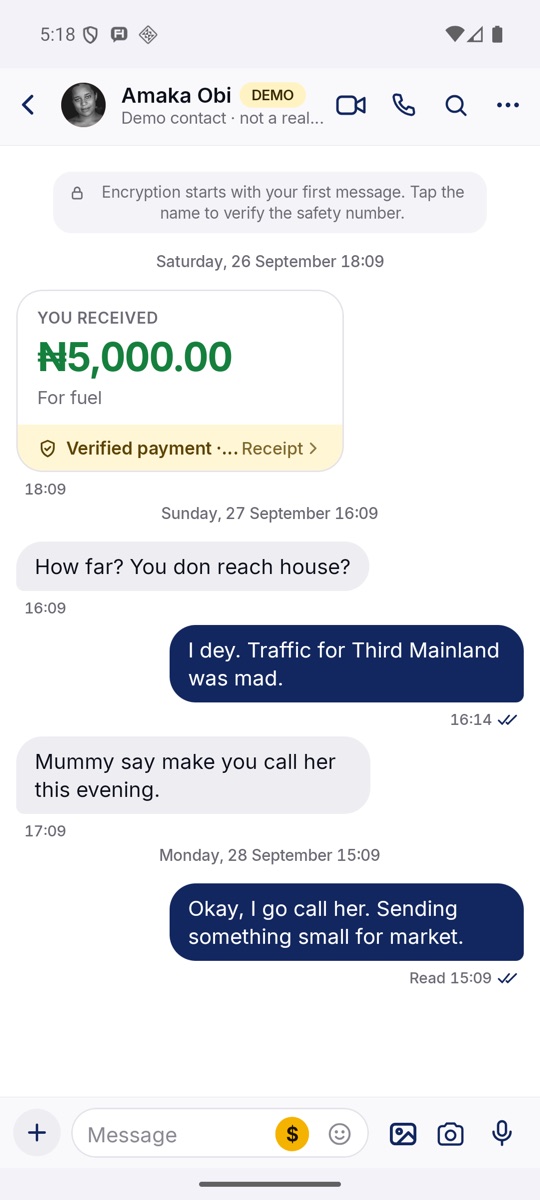
A conversation
₦5,000 "for fuel" sits between messages in Pidgin. The yellow $ in the message bar sends or asks for money.
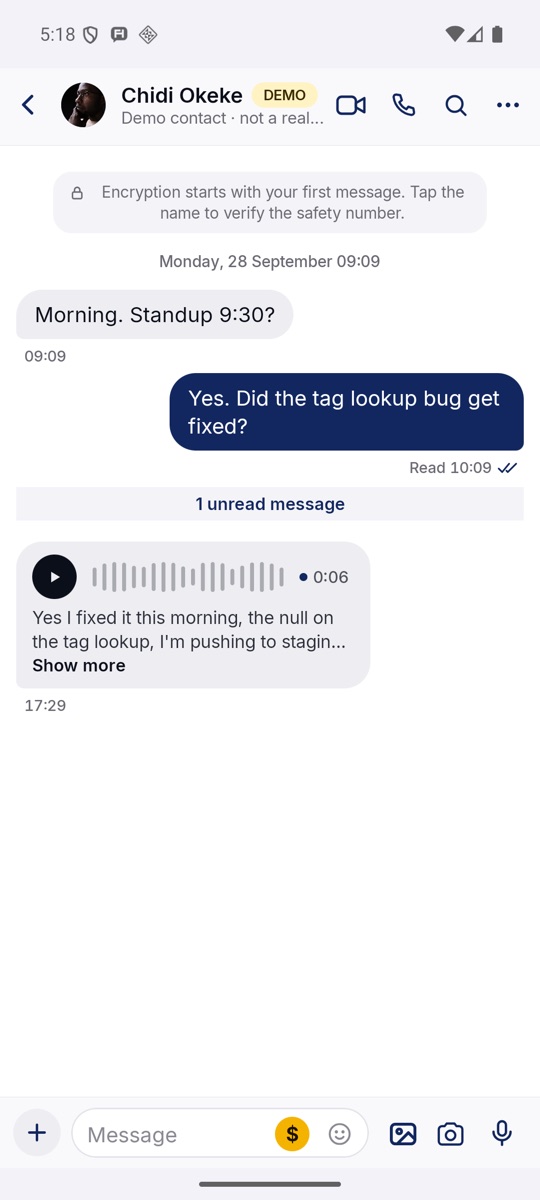
Voice notes
Hold the mic to record. The note shows its words underneath, written on the phone, for when you can't play sound.
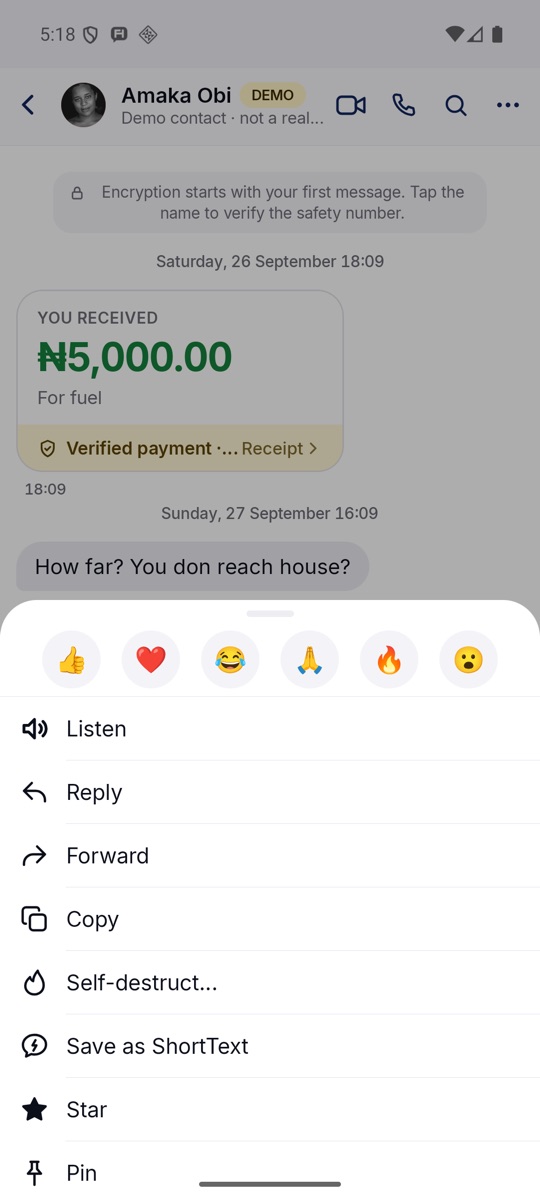
Anything you can do
Press and hold a message: react, hear it read aloud, reply, forward, copy, set it to self-destruct, star or pin it.
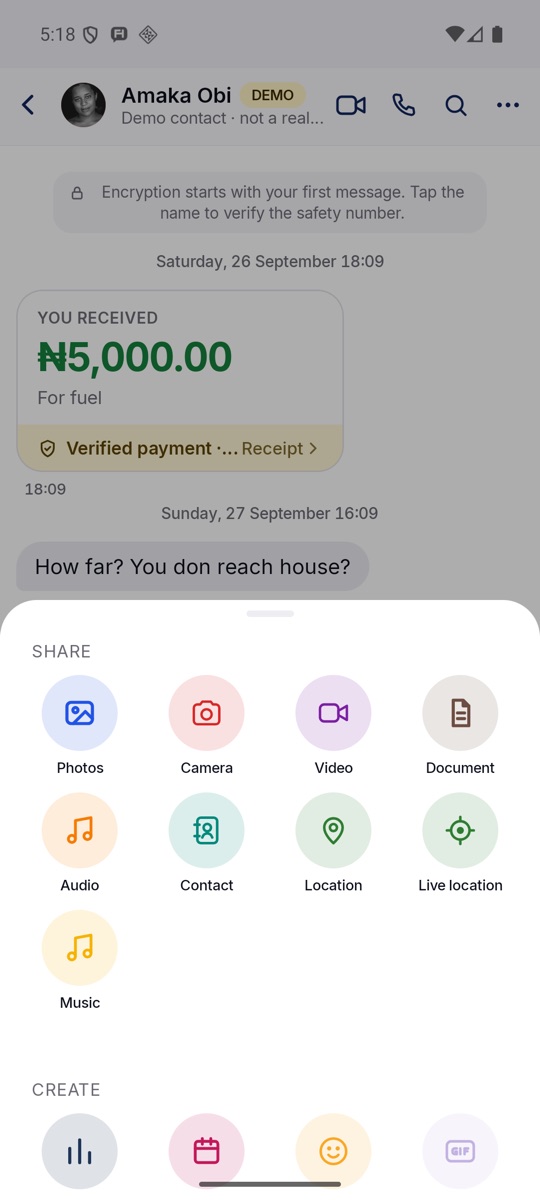
Share and create
Photos, video, documents, a contact, your live location, music. Below, create a poll, an event, a sticker or a GIF.
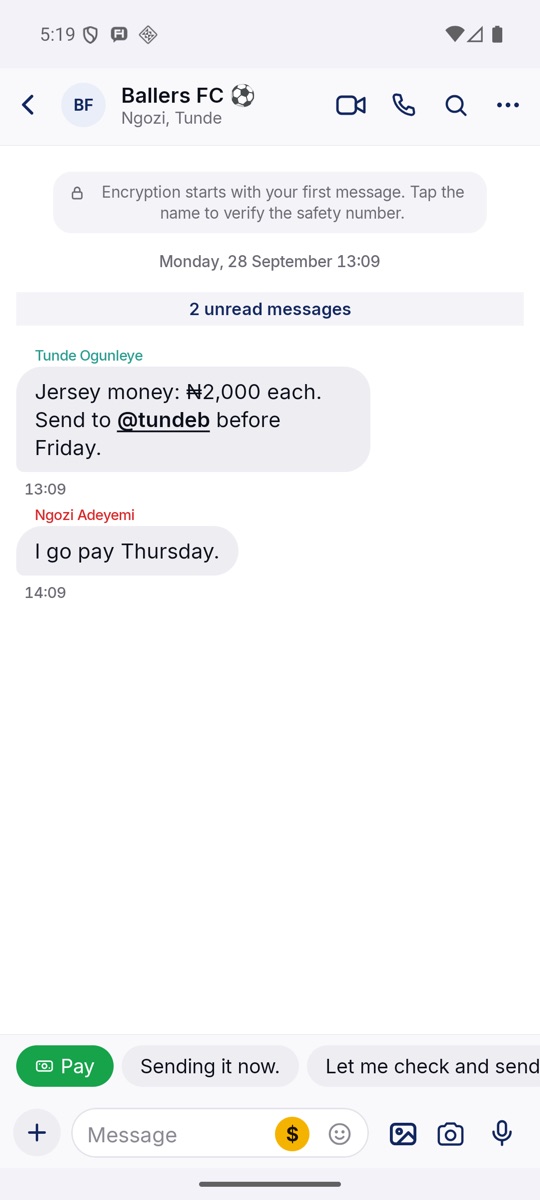
Groups
Ballers FC collects jersey money: "₦2,000 each. Send to @tundeb before Friday." Tags work like numbers, so nobody has to share theirs.
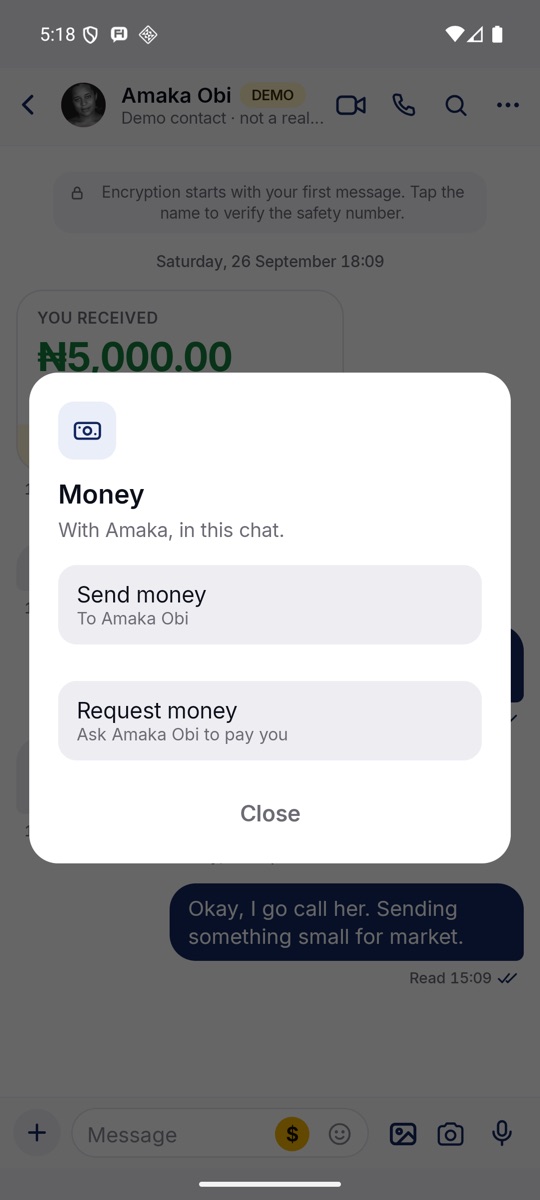
Money in a chat
The $ button opens Send money or Request money for the person you're talking to, in their currency, from naira to CFA francs.
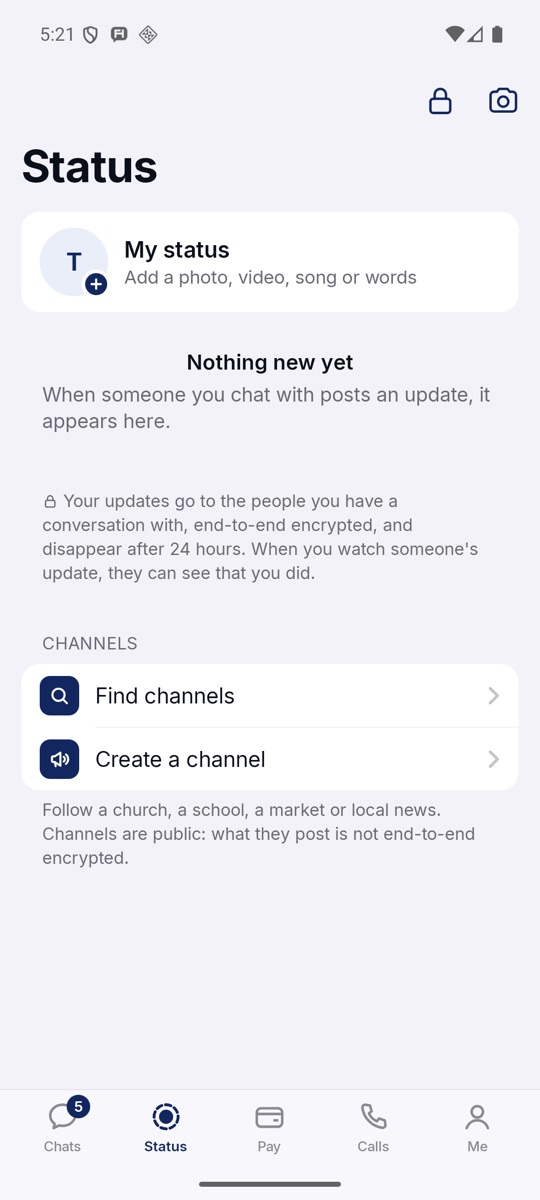
Status and channels
Status goes only to people you talk to, sealed, gone in 24 hours. Channels are public, so not end-to-end encrypted, and HaFa says so.

Chapter 02 · Calls
Calls that ring,
even with the app closed.
Voice, video, groups, and a walkie-talkie for when there's no signal at all. Calls are end-to-end encrypted and connect through a relay when two phones on mobile networks can't reach each other directly. The picture adapts when the network does.
During a call you can send money with the yellow button, or a quick reaction.
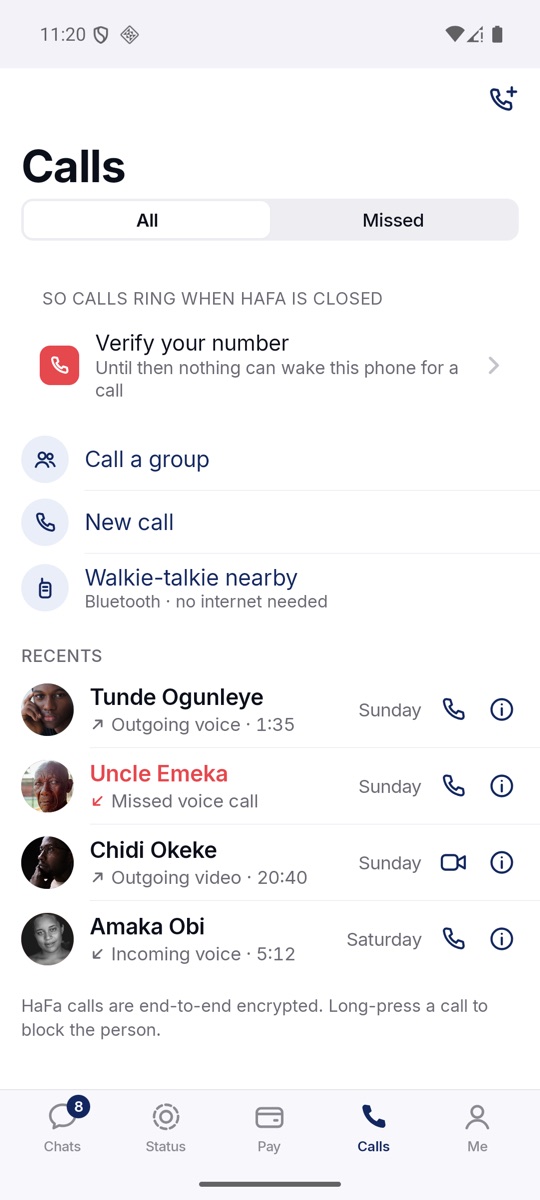
Calls
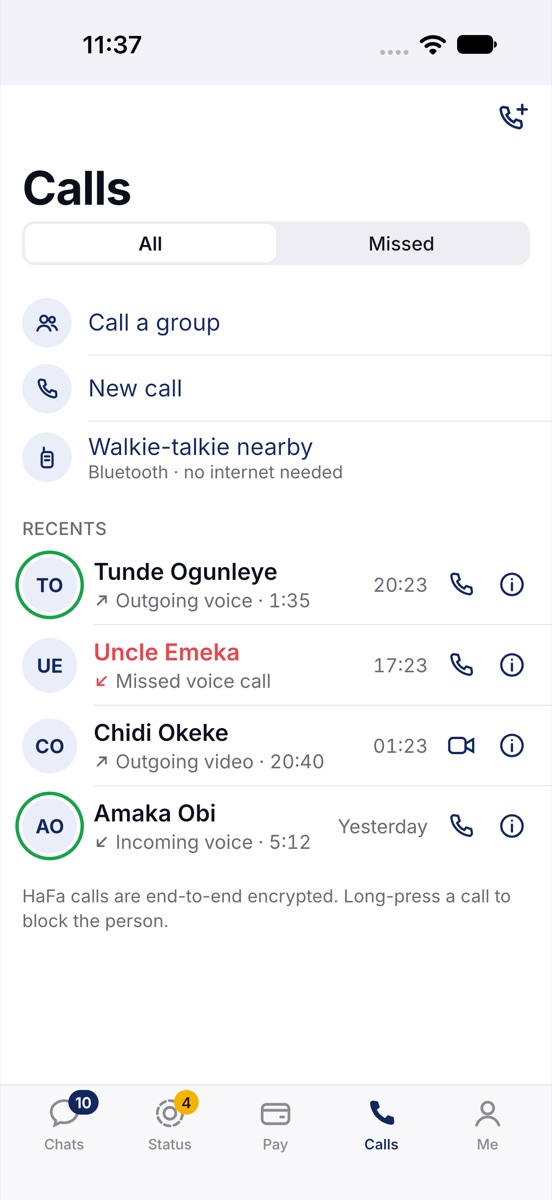
Recent calls with their length, missed ones in red. Call a group, start a new call, or open the walkie-talkie.
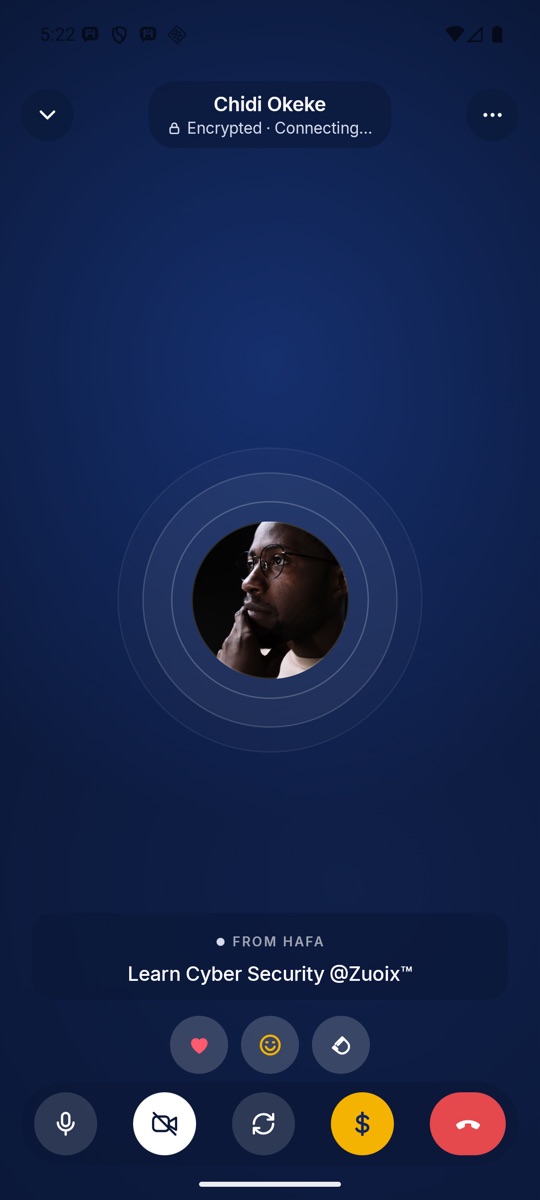
On a call
"Encrypted" under the name. Mute, camera, flip, send money and hang up along the bottom; a heart, a laugh or applause above.
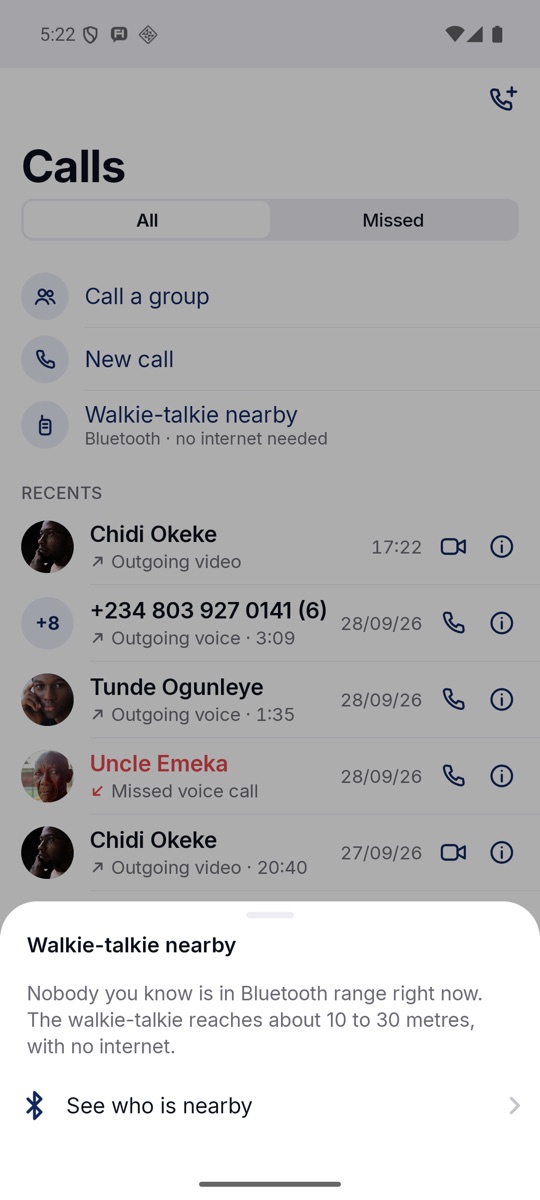
Walkie-talkie
Push to talk with people 10 to 30 metres away over Bluetooth, with no internet and no airtime. For a market, a building site or a rally.
Chapter 03 · Offline
No data?
The message still goes.
With Nearby mode on, HaFa phones near each other pass sealed messages, photos, videos and even payments along over Bluetooth. Nobody in between can read them. The first phone with internet uploads what it carries, and it arrives like any other message.
Texts go first. A text written while a video is moving between two phones crosses in about 2.5 seconds.
Mama writes
"Come home this weekend." Her phone has no data, so HaFa seals the message for her son.
Bluetooth
A neighbour passes
His HaFa picks up the sealed message on his way out. He can't read it.
Bluetooth
He gets to town
His phone finds a network and uploads the message it is carrying.
Internet
Her son reads it
In another city, it arrives like any other message from his mother.
Delivered
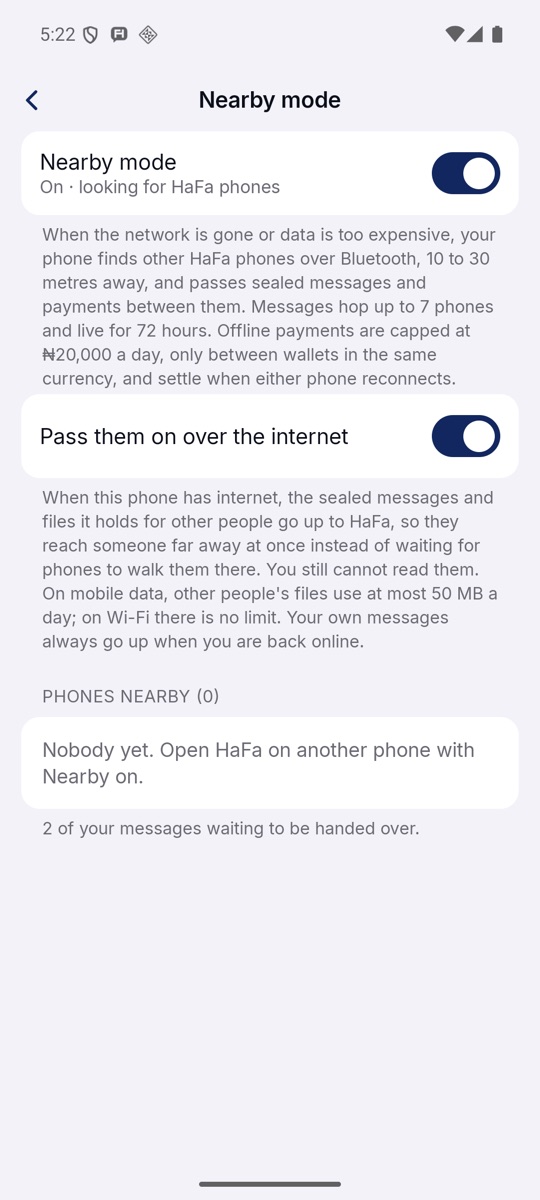
Nearby mode
One switch. Below it, "Pass them on over the internet": what this phone carries for others goes up, at most 50 MB a day on mobile data.
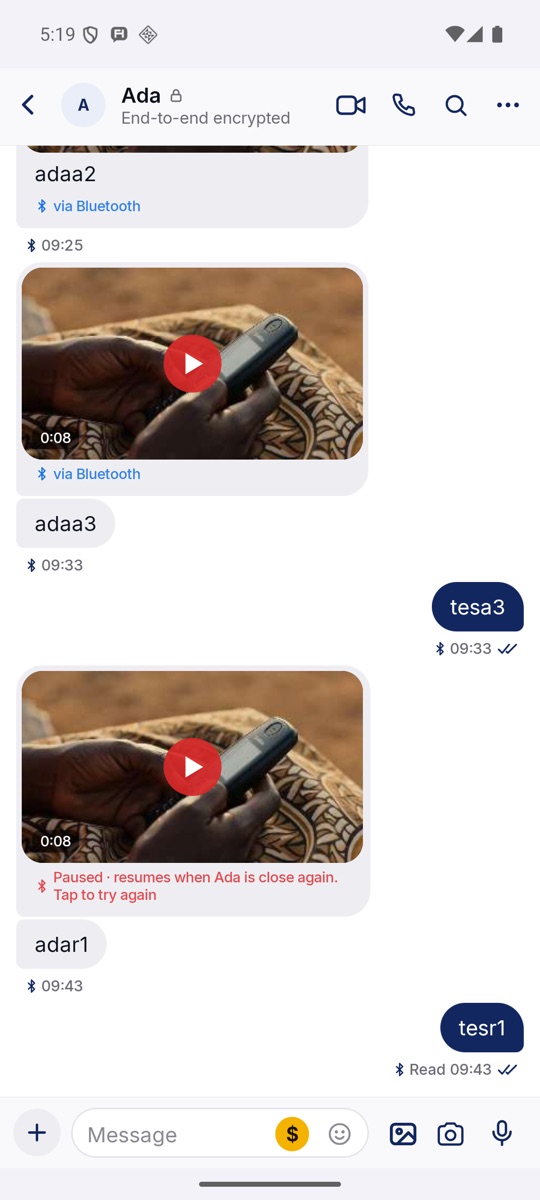
From our Bluetooth tests
Two phones, no internet. Messages carry the Bluetooth sign, and a video that was cut off resumes when the phones are close again.
Chapter 04 · Money
Pay the way
you already talk.
One wallet, filled from mobile money, spent in a chat. Top up from MTN MoMo or Airtel Money by approving the request on your phone, then send to anyone on HaFa by name, tag or number. Every payment asks for your fingerprint, face or PIN, and shows the fee before you agree.
On ₦5,000 the fee is ₦10. The total, when it arrives and what is left of today's limit are on one screen.

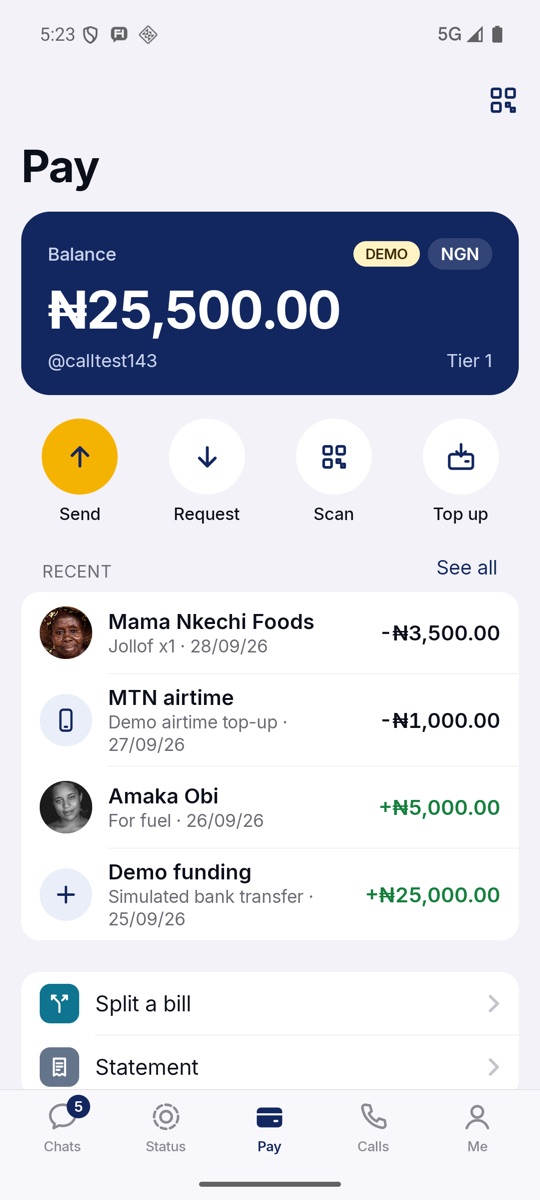
Pay
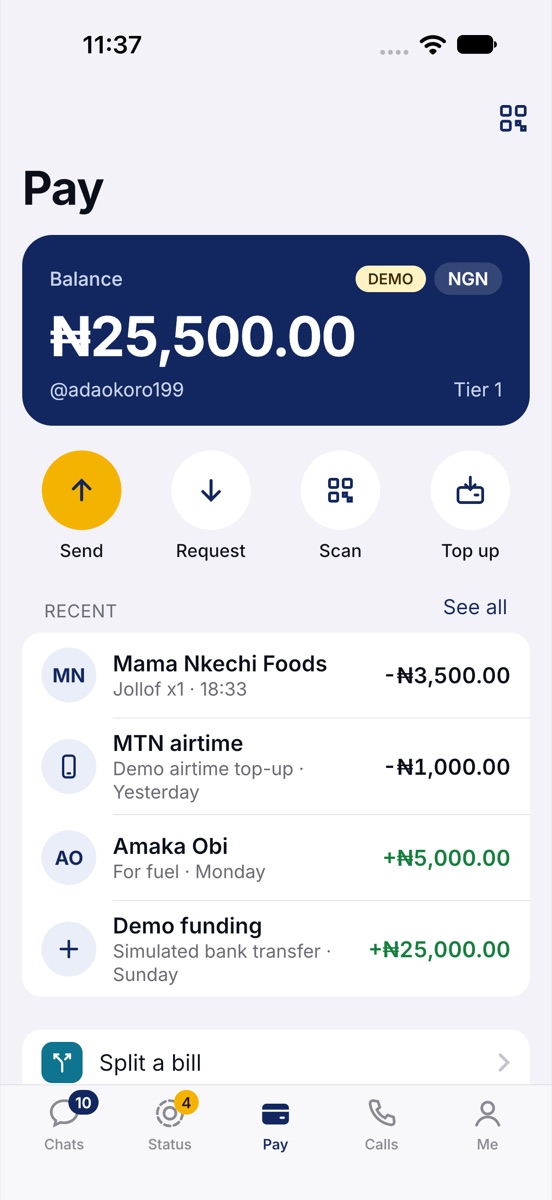
The balance, your tag and your tier, then Send, Request, Scan and Top up, and recent payments with what each was for.
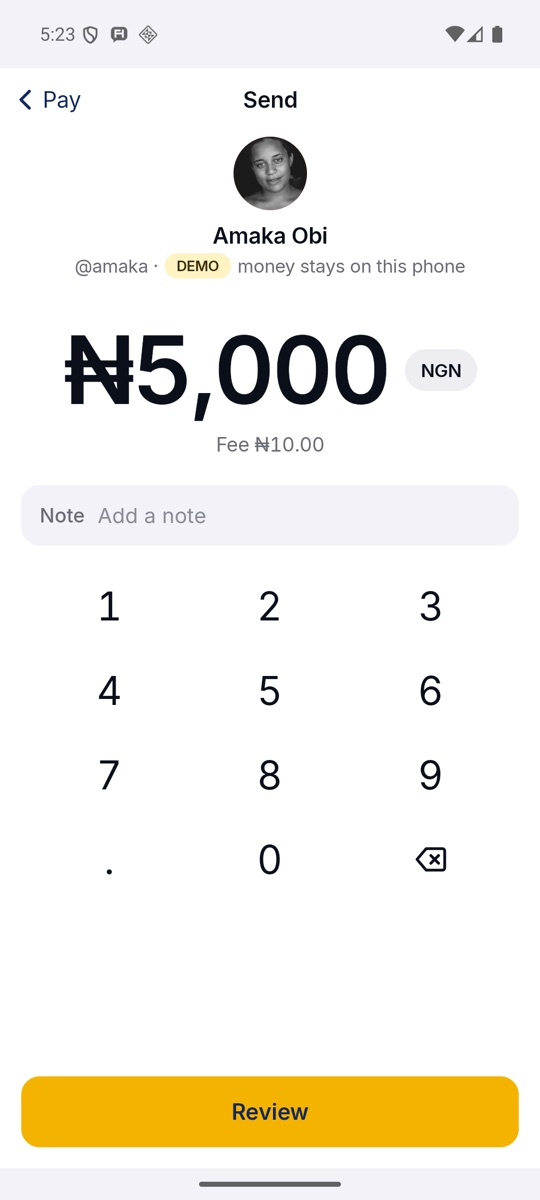
Send
Type an amount or pick one. Add a note. The fee is under the amount before you tap Review.
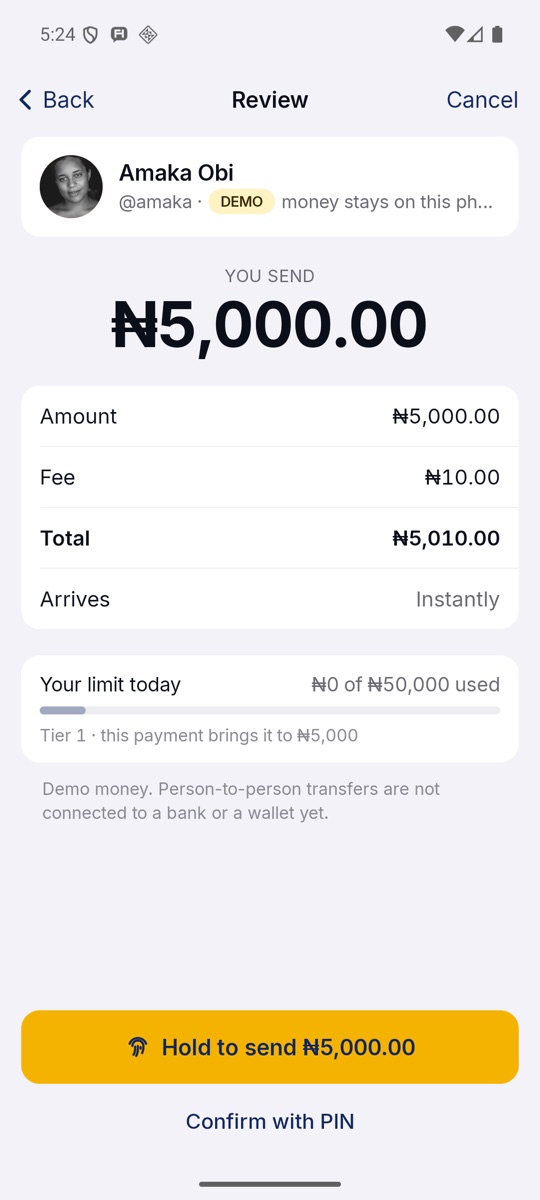
Hold to send
Amount, fee, total, "Arrives instantly", and how much of today's limit you have used. Hold with your fingerprint, or use your PIN.
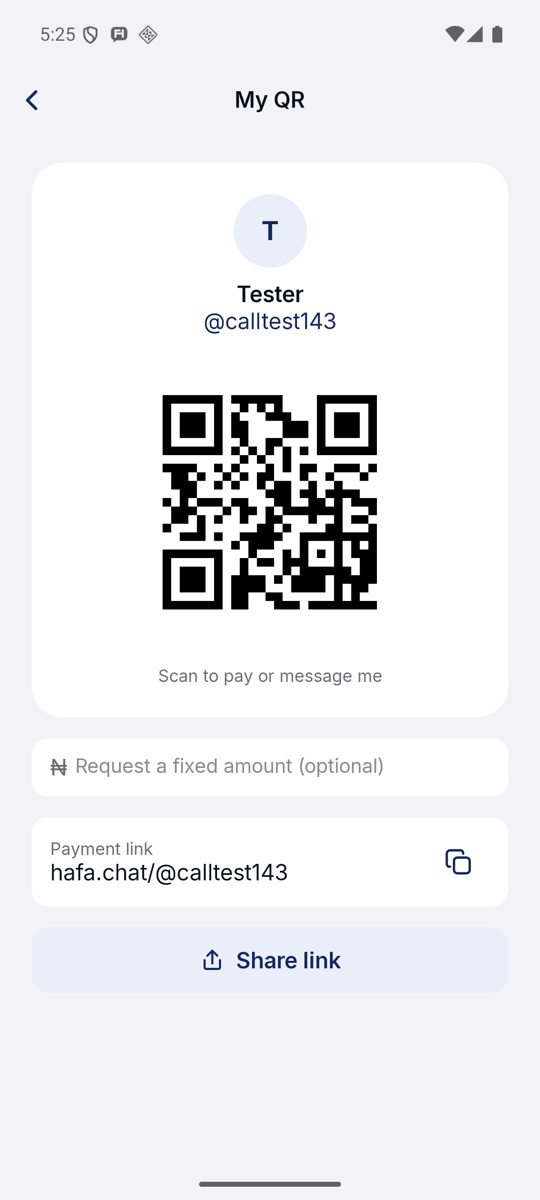
My QR
One code to be paid or messaged, with an optional fixed amount for a sale, and a link to share: hafa.chat/@yourtag.
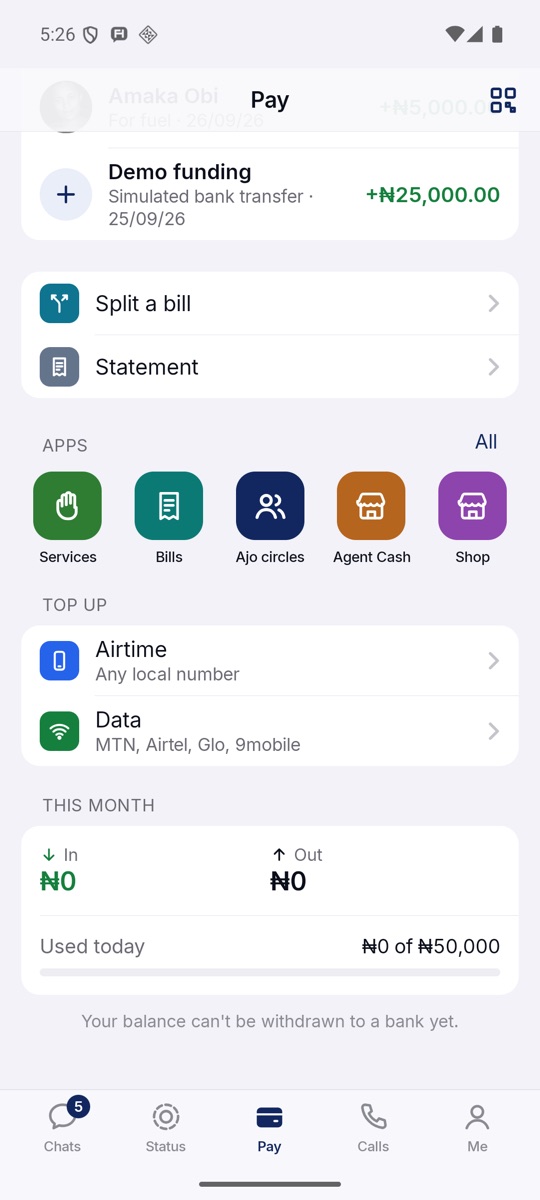
Airtime, data, apps
Airtime and data for any local number, split a bill, your statement, and the month's money in and out.


Chapter 05 · Apps
Small apps,
one wallet.
Apps run inside HaFa and pay from your wallet. Each one says what it can do before it opens, and none can pay without your fingerprint, face or PIN. Transport, health and school fees are next.
An Ajo circle of four, ₦10,000 a week, pays ₦40,000 to one member each round. Every contribution shows in the group's chat.
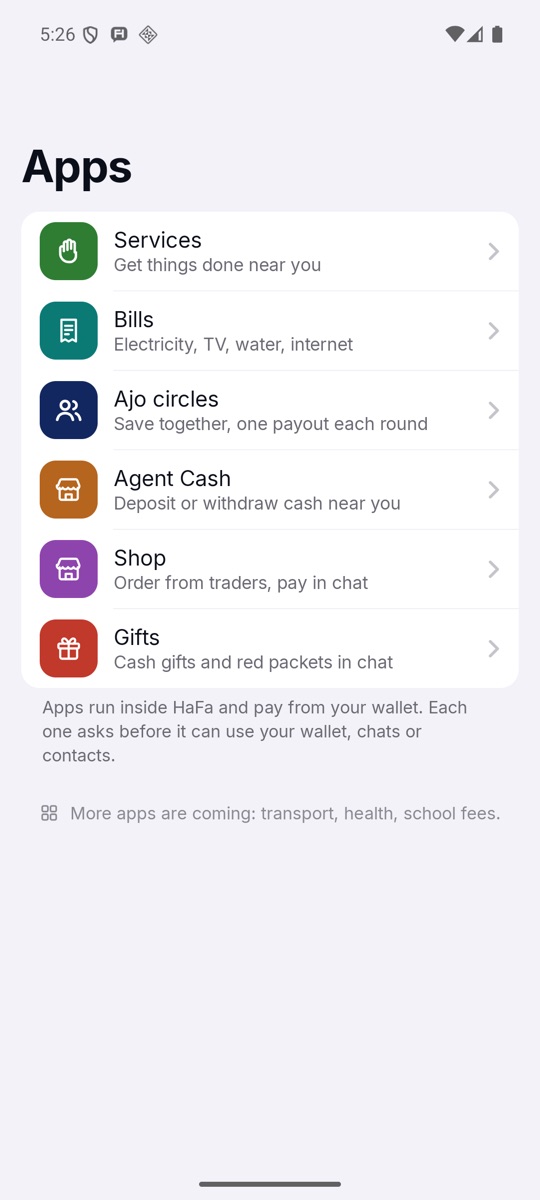
Apps
Services, Bills, Ajo circles, Agent Cash, Shop and Gifts.
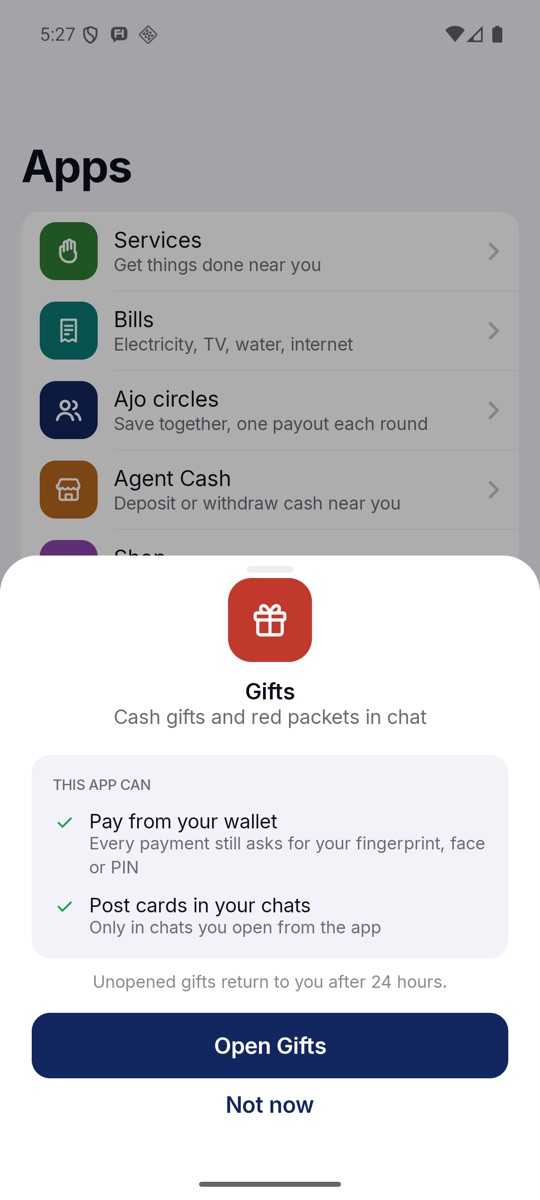
What an app can do
Before Gifts opens: pay from your wallet, and post only in chats you open from it. Unopened gifts return after 24 hours.
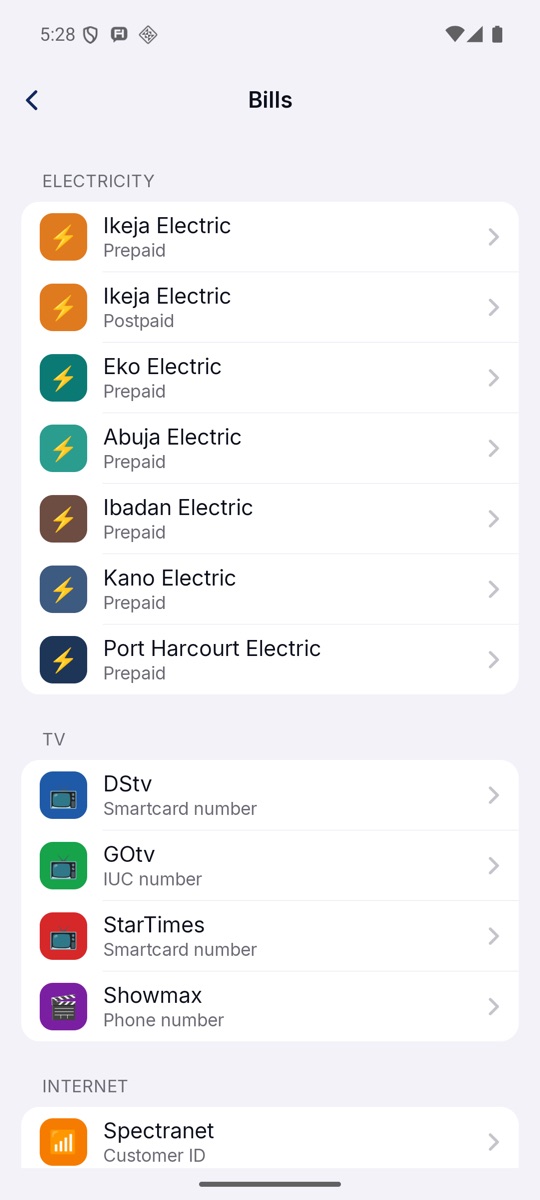
Bills
Electricity prepaid or postpaid, TV from DStv to Showmax, and internet.
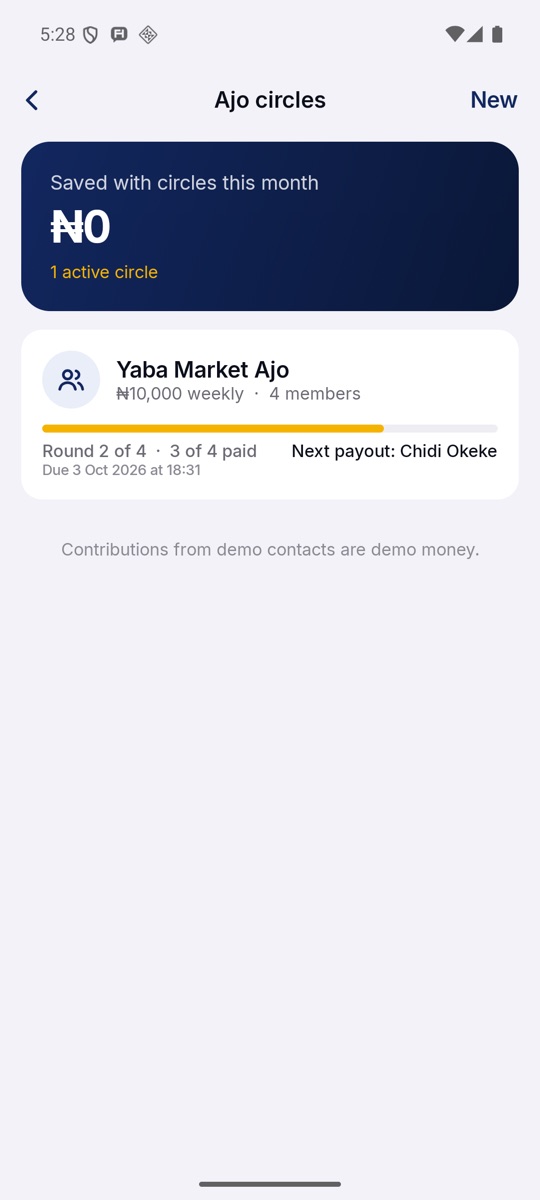
Ajo circles
Yaba Market Ajo: ₦10,000 weekly, four members, round 2 of 4, and who is paid next.
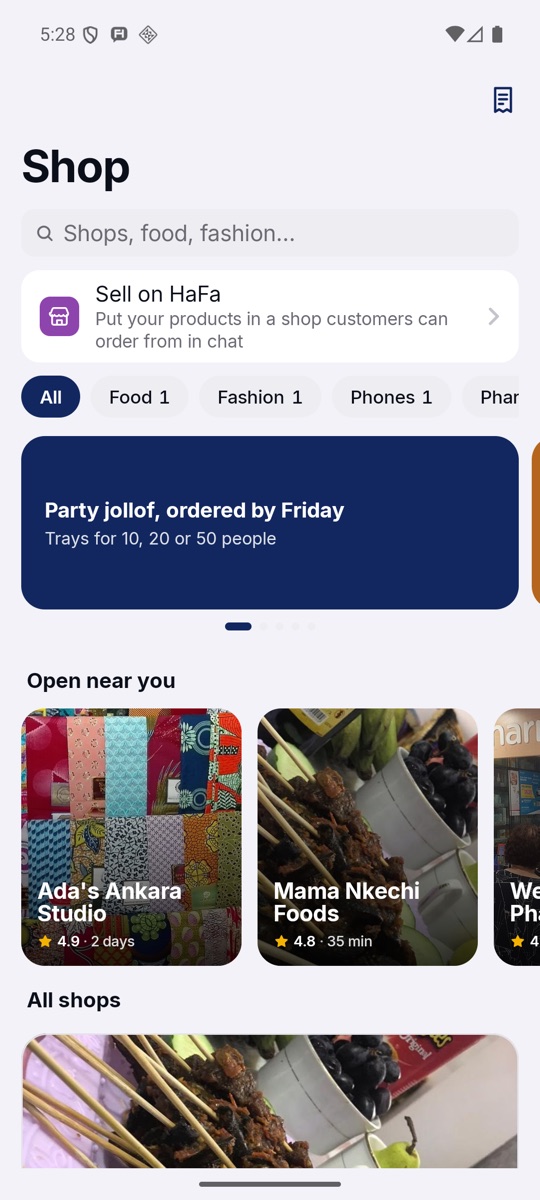
Shop
Traders near you. Order in a chat and pay there. Any trader can open a shop with "Sell on HaFa".

Chapter 06 · ServicesNEW
Car won't start?
Ask HaFa.
A plumber, a mechanic or a cleaner, chosen from quotes, seen coming, paid with a PIN. Show what needs doing with a photo or a short video, and verified providers nearby send a price and how soon they can come.
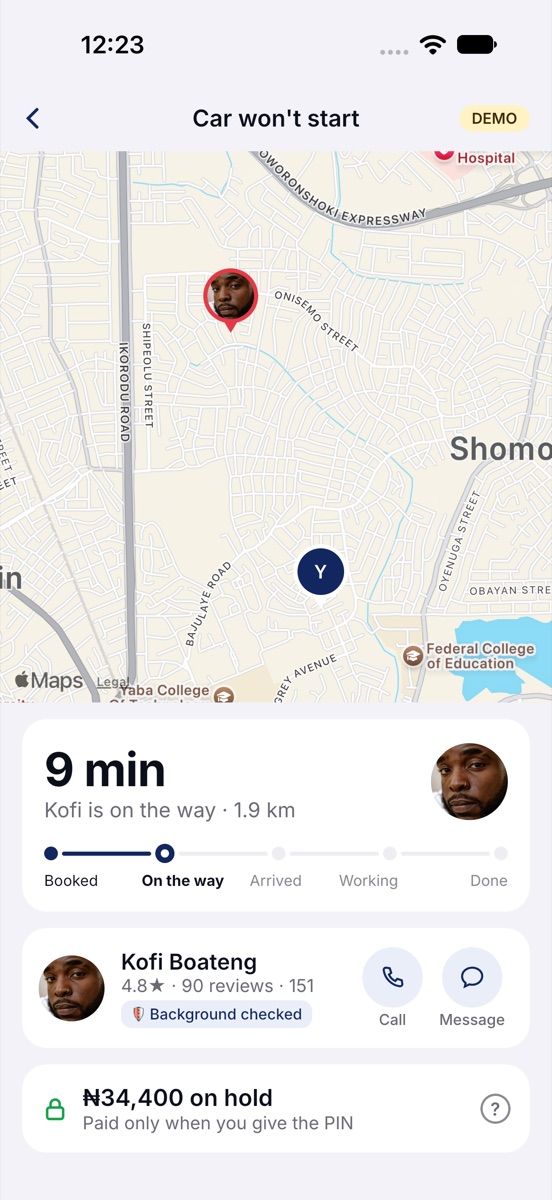
Booking holds the money in your wallet; it moves only when the work is done and you read your PIN to the provider. No line on the map: the provider's face moves towards you and the time to your door counts down.
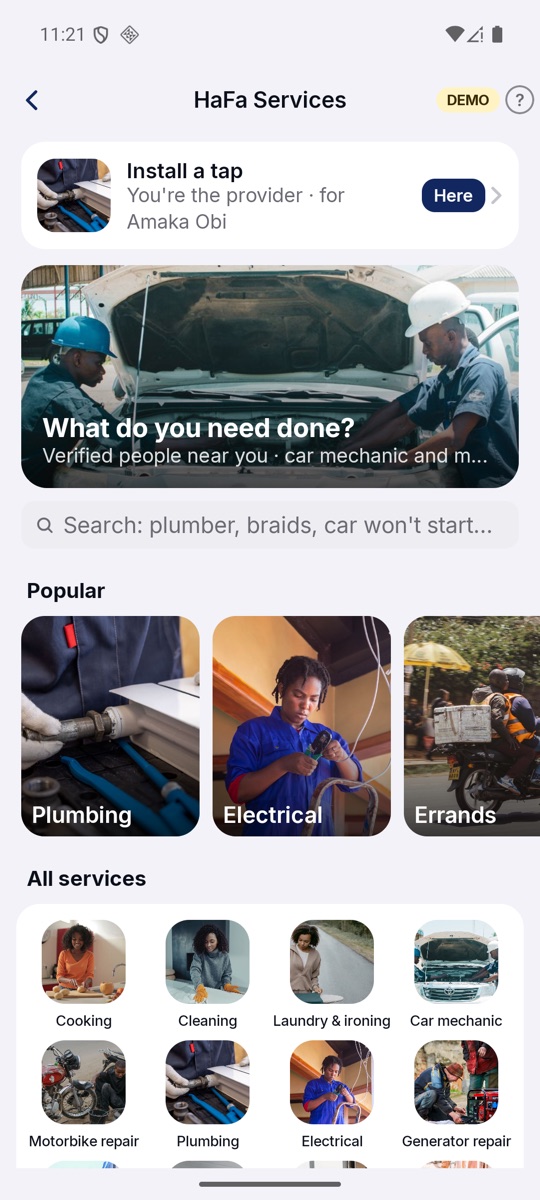
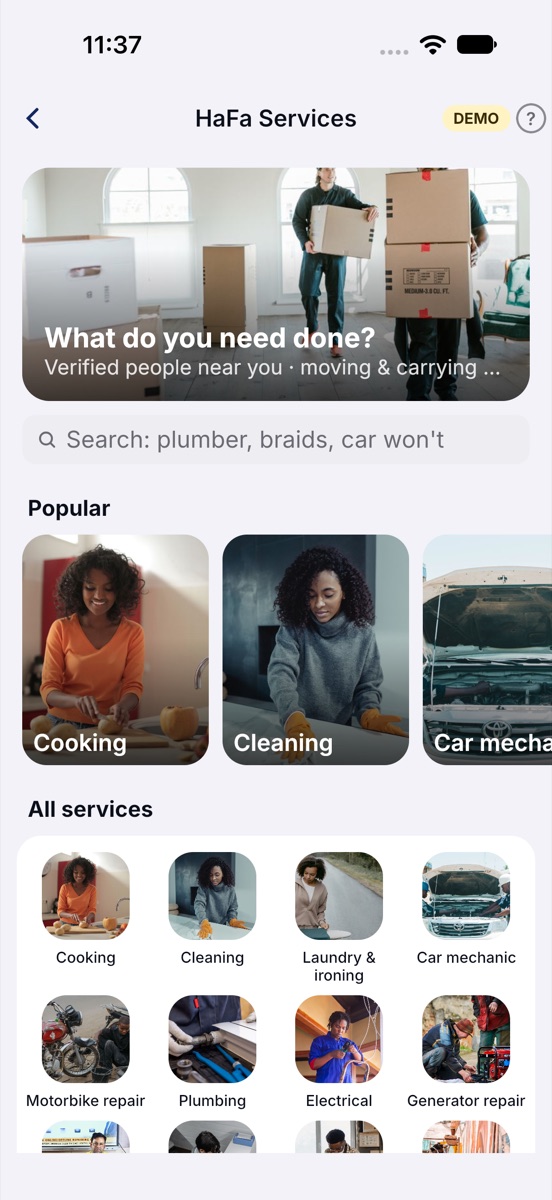
Services
Twenty trades, each with its photograph, and your jobs first.
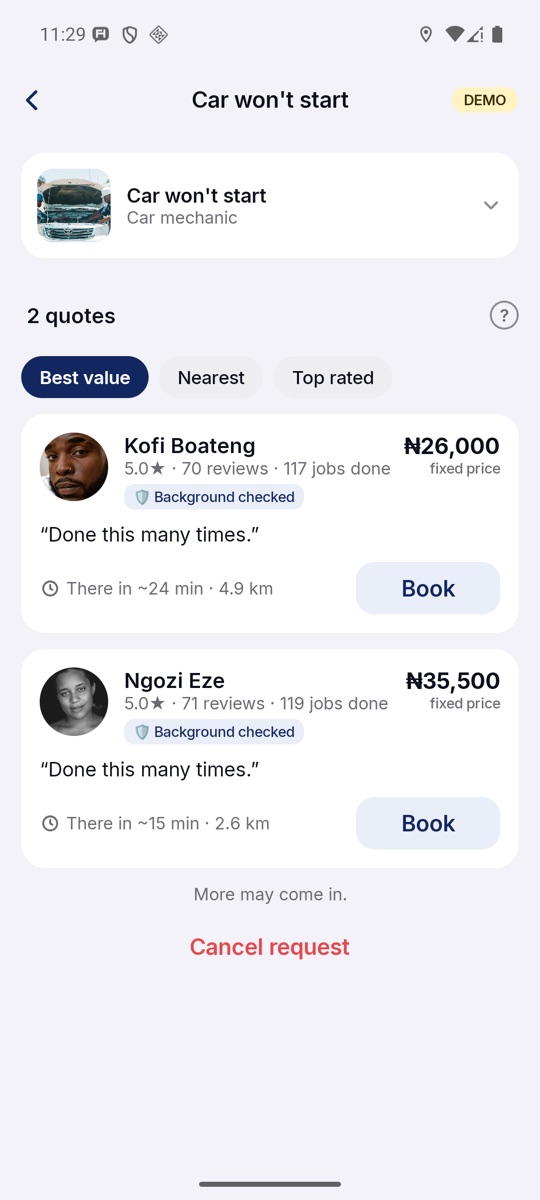
Quotes
Faces, ratings, jobs done, background checks, prices and arrival times.
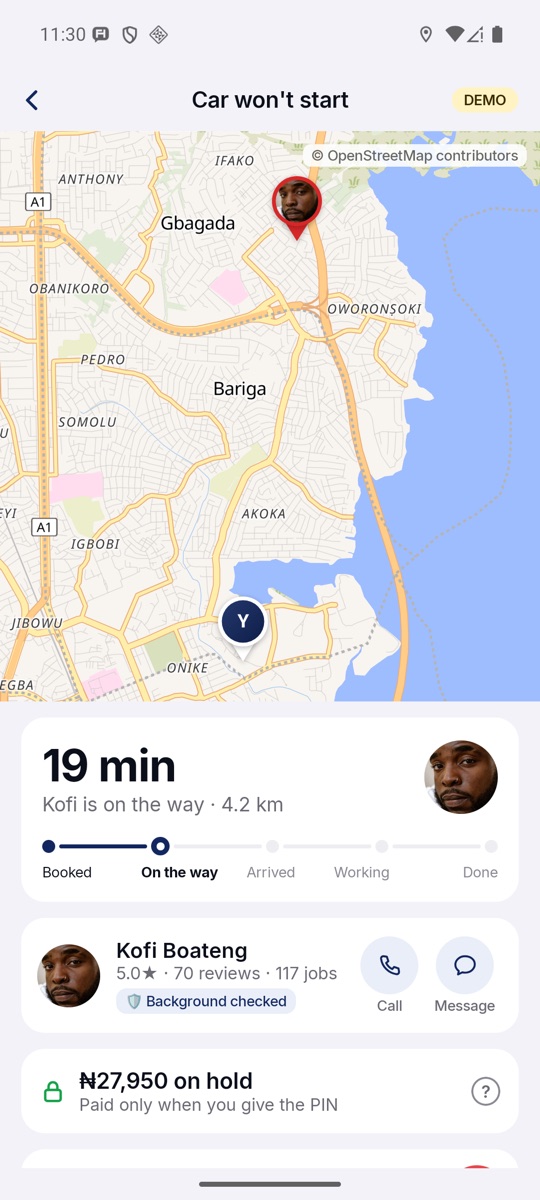
On the way
"19 min · Kofi is on the way", his face gliding across the city.
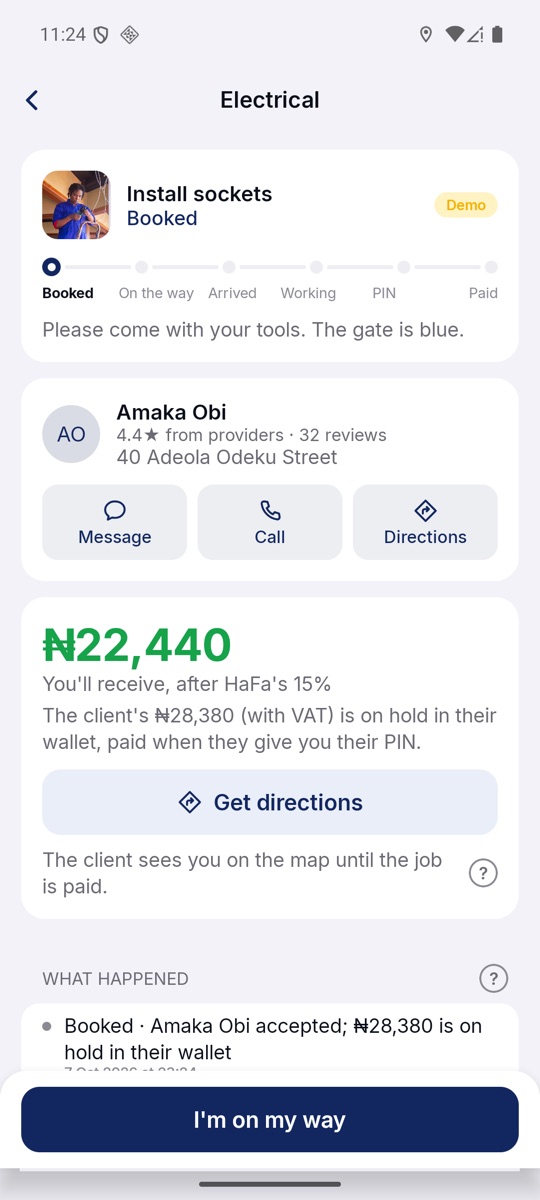
For providers
What you receive after HaFa's 15%, the client's rating, and Get directions.
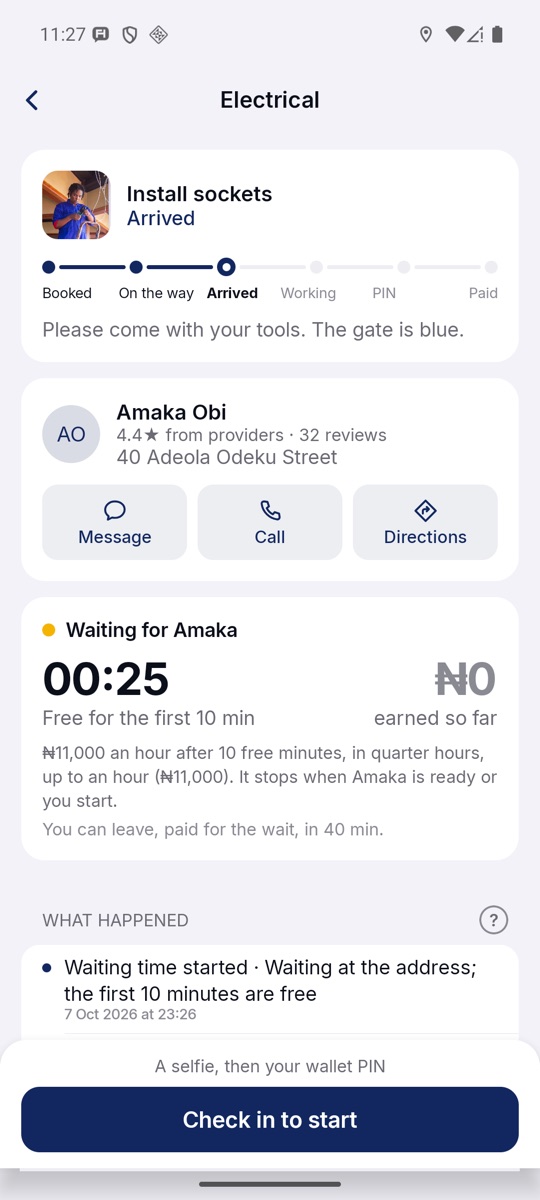
Paid waiting
Ten minutes free, then paid by the quarter hour, up to an hour.
Chapter 07 · You
Your account, your limits,
your keys.
Me holds everything about you: whether you use HaFa personally, for a business or to offer services; privacy; your verification tier; your devices and the computers linked to your phone; and how much storage and data HaFa uses.
Your encryption key is made on this phone. The database on the phone is encrypted too, with SQLCipher and AES-256.
HaFa Web at web.hafa.chat lets you type on a computer while your phone does the encrypting.
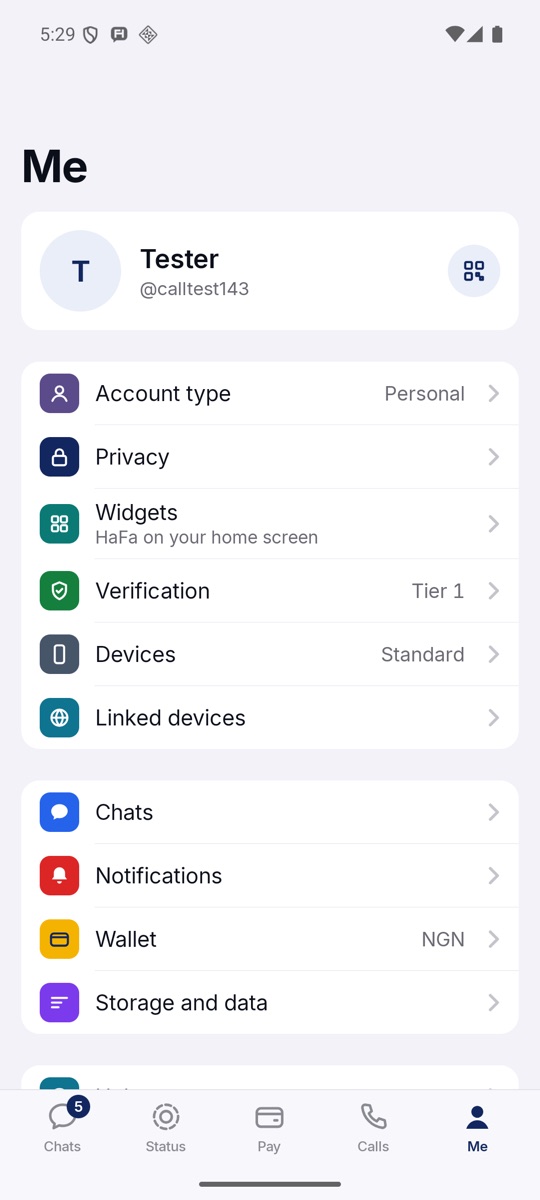
Me
Account type, privacy, widgets, verification, devices and linked devices; then chats, notifications, wallet, storage and data.
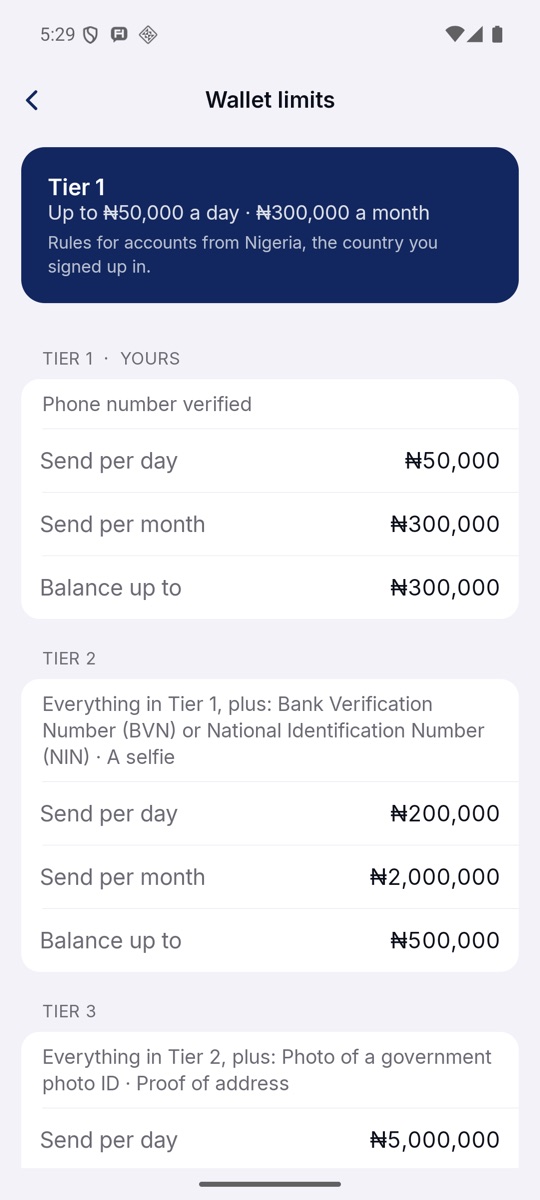
Wallet limits
In Nigeria, Tier 1 sends ₦50,000 a day; Tier 2 adds BVN or NIN and a selfie for ₦200,000; Tier 3 adds photo ID and proof of address.
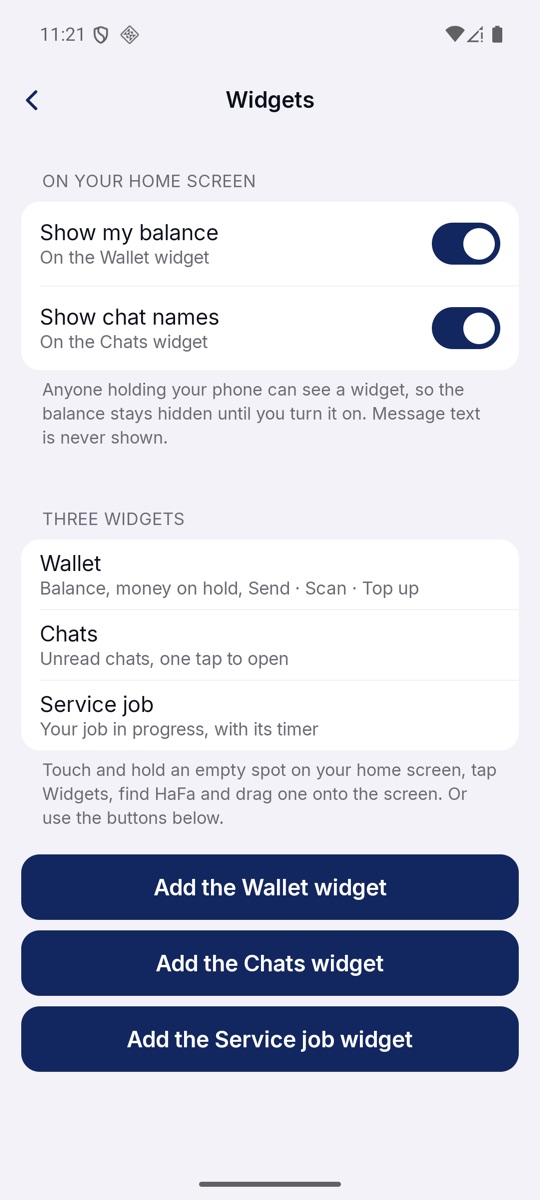
Widgets
Wallet, Chats and Service job on your home screen. The balance stays hidden until you choose to show it.
Chapter 08 · Now on iPhoneNEW
One app,
two phones.
HaFa for iPhone is built from the same code as HaFa for Android, so every screen, rule and price is the same on both. The parts that belong to the phone are native: calls go through Apple's CallKit, Face ID approves payments, and Apple Maps comes first in Get directions.
Messages between an Android phone and an iPhone use the same Signal encryption, tested in both directions. The iPhone app is in testing now.
The look
Navy for trust,
yellow for what's next.
A deep navy for trust, a market-stall yellow for the one thing to tap next, and a quiet grey ground so money and messages stand out. Green means money arrived; red means a missed call or hang up.
Buttons, balance
Calls
Review, pay
Ground
Money in
Hang up, missed
Every screen
in this issue.
01 ChatsPinned first
02 ConversationMoney in chat
03 Voice noteWith its words
04 Message menuHold a message
05 ShareFiles, places, polls
06 GroupsJersey money
07 Money sheetSend or request
08 StatusAnd channels
09 CallsHistory and groups
10 On a callEncrypted
11 Walkie-talkieBluetooth
12 Nearby modeNo data needed
13 Via BluetoothFrom our tests
14 PayThe wallet
15 SendAmount and fee
16 ReviewHold to send
17 My QRGet paid by scan
18 Airtime and dataAnd apps
19 AppsSix so far
20 PermissionsAsked first
21 BillsElectricity, TV
22 Ajo circlesSave together
23 ShopTraders near you
24 ServicesTwenty trades
25 QuotesChoose one
26 On the wayNo line
27 ProviderYour pay first
28 Paid waiting10 min free
29 MeYour account
30 LimitsTiers 1 to 3
31 WidgetsHome screen
32 ChatsiPhone
33 ConversationiPhone
34 PayiPhone
35 CallsiPhone
36 ServicesiPhone
37 On the wayiPhone
How far?
Bring everyone.
Chat, call and pay the people you know, even when the network drops. Free to download.